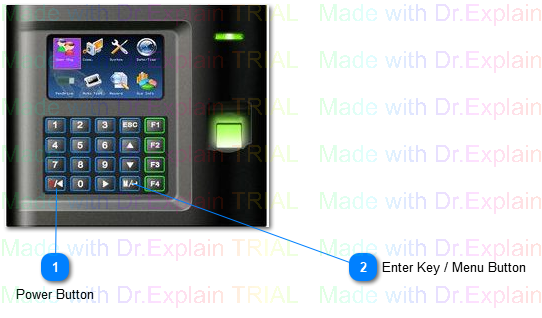
Use this button to to submit an entry. make a selection or access the clock menu
For Entry Submission, enter the desired value, then press this button to submit the value. This is used both during Punch Operations and in the menu for configuration entries. When using it in the menu, this button will commit all current changes to the displayed screen and navigate up to the parent level.
For Making a Selection, use the arrow keys to highlight the desired selection, then press this button to select. For Navigation Selection, the clock will navigate to the chosen item. For Value Selections, the value will be applied and the clock is ready for the next selection or entry. If the entry was the final needed selection, the clock will complete the current operation and become ready for the next action.